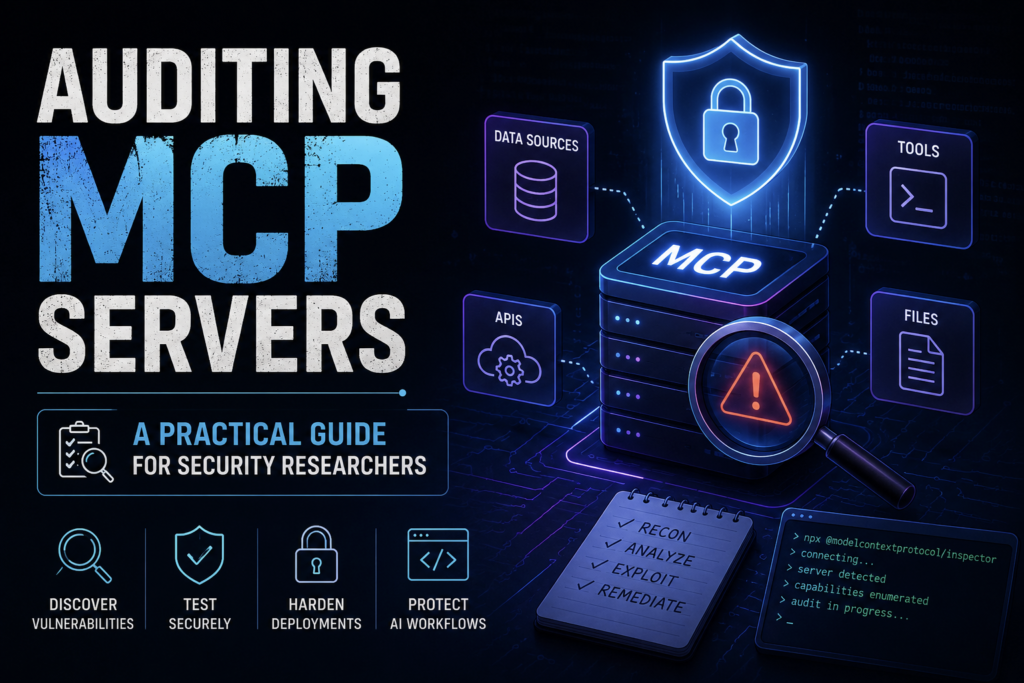
As AI assistants become more capable, they’re no longer just answering questions, they’re interacting with real systems that store real data. Large Language Models (LLMs) are really good at understanding and generating text, but on their own, they can’t interact with the outside world. They can’t open files, access databases, or use an application unless someone gives them that ability to do so.
This is where the Model Context Protocol (MCP) comes in. MCP provides a standardized way for AI models to connect with external tools, services, and data sources instead of depending on custom-built integrations for every application.
While MCP makes AI assistants much more powerful, it also brings new security challenges. When an AI can read files, connect to APIs, access databases, or perform actions on a system, there are more opportunities for attackers to misuse it. That’s why it’s important to understand how MCP works, what it can access, and how to secure it before using it in real-world applications.
Before we get into auditing MCP servers, it’s worth understanding what MCP actually does, why it has gained so much attention recently, and where its security risks come from.
What is MCP?
The Model Context Protocol (MCP) is an open-source standard introduced by Anthropic that allows AI models to communicate with external tools, applications, and data sources in a consistent way.
Think of MCP as a universal translator. Imagine people from different countries trying to talk to each other. They all speak different languages, making communication difficult. A translator helps everyone understand one another without learning every language. MCP works in a similar way. It provides a common language that both AI models and external tools can understand.
Instead of creating a separate connection for every application, developers can build an MCP server once, and any AI application that supports MCP can interact with it. This makes AI integrations easier to build, manage, and scale.
Understanding the architecture is important because most MCP security issues arise from how these components interact with one another, not from the protocol itself.
How MCP Works
MCP works by connecting an AI model to external tools through three main components.
        You
         |
         ▼
  AI Application (Host)
         |
         ▼
     MCP Client
         |
  (JSON-RPC Messages)
         |
         ▼
     MCP Server
         |
         ▼
 Files • APIs • Databases • Applications
1. MCP Host
The Host is the AI application you use. It could be an AI coding assistant, a chatbot, or any application that supports MCP. This is where you type your prompts and receive responses.
2. MCP Client
The Client works behind the scenes inside the host. You don’t interact with it directly, but it plays an important role. It takes your request, sends it to the appropriate MCP server, and returns the results back to the AI.
3. MCP Server
The Server is where the actual capabilities are provided. It gives the AI access to information or actions that it normally couldn’t perform on its own. An MCP server can expose three different types of capabilities:
- Prompts – Ready-made instructions that help the AI perform common tasks, such as reviewing code or summarizing meeting notes.
- Resources – Information the AI can read, like project documentation, configuration files, API responses, or database records.
- Tools – Functions that let the AI perform actions, such as creating a file, querying a database, sending a notification, or running a script.
How Everything Works Together
Imagine you ask an AI assistant:
“Find today’s error logs and summarize the most common issue.”
Here’s what happens:
- The Host receives your request.
- The Client forwards it to the appropriate MCP server.
- The Server reads the log files using a Resource.
- The AI analyzes the data and generates a summary.
- The result is sent back through the client and displayed in the host.
To make sure all these components understand each other, MCP uses a standard message format called JSON-RPC 2.0. These messages can be exchanged locally using stdio or over a network using Streamable HTTP, which is the recommended transport in the latest MCP specification. Streamable HTTP supports both standard request-response communication and streaming over HTTP, making it more flexible than the older Server-Sent Events (SSE) transport, which has now been deprecated.
Where Trust Exists
MCP is designed to be flexible, so it doesn’t automatically decide who should have access to what. Instead, it expects the applications using it to handle authentication, authorization, and other security checks.
This creates two main trust relationships:
The Host Trusts the Server
When an AI application connects to an MCP server, it assumes the server is legitimate and that the tools, resources, and prompts it provides are safe to use. If the server is malicious or compromised, it could expose the AI to harmful or misleading data.
The Server Trusts the Client
On the other hand, the MCP server assumes that the requests it receives have already been checked and approved by the AI application. If the client sends unexpected or malicious input without proper validation, the server may execute actions that were never intended.
Both sides trust each other to do the right thing. If either side fails to verify requests or enforce proper security controls, that trust can be abused, and that can lead to security vulnerabilities.
Why Trust Creates Risk
MCP itself doesn’t decide who is allowed to use a tool or what actions are safe to perform. Instead, it relies on developers to add security controls such as input validation, permission checks, and access restrictions.
Things become even more challenging because an AI model acts as the middle layer between the user and the connected systems. It can understand requests, but it cannot always tell whether a request is genuinely helpful or intended to cause harm. For example, a malicious instruction hidden inside a document or webpage could influence the AI into performing actions it shouldn’t.
If an MCP server is given broad permissions without proper safeguards, an attacker may be able to manipulate the AI into accessing sensitive data, executing unintended commands, or interacting with systems in unexpected ways. This is why securing the trust boundary around MCP is just as important as securing the tools it connects to.
Vulnerability Classes
Like any technology that connects different systems together, MCP can introduce security risks if it isn’t implemented correctly. Below are some of the most common vulnerabilities security researchers look for when auditing an MCP server.
1. Indirect Prompt Injection
An AI doesn’t only process what the user types—it can also read information from external sources such as documents, websites, emails, or PDFs. If one of these sources contains hidden instructions, the AI may mistakenly treat them as legitimate commands.
For example, an uploaded document could secretly include instructions telling the AI to send sensitive information to another location. If the AI follows those instructions without proper safeguards, it could unintentionally expose confidential data.
2. Arbitrary Code Execution
Some MCP servers allow the AI to run scripts or system commands. If user input is passed directly to the operating system without proper validation, an attacker may be able to inject additional commands and make the server execute actions that were never intended.
For example, instead of simply listing files, a malicious input could attempt to execute extra system commands if the application doesn’t safely handle user input.
3. The Confused Deputy Problem
This vulnerability occurs when an MCP server performs actions using its own high-level permissions instead of checking what the user is actually allowed to do.
Imagine an employee who only has permission to view public documents. If the MCP server has administrator privileges and doesn’t verify the user’s permissions, the AI might retrieve confidential files simply because the server itself has access to them.
4. Tool Shadowing and Name Collisions
MCP allows developers to create custom tools, but if two tools have similar or identical names, the AI may choose the wrong one.
An attacker could create a malicious tool with a name that closely resembles a trusted tool. If the AI accidentally selects the fake tool instead of the legitimate one, it could expose sensitive information or perform unauthorized actions.
These vulnerabilities don’t exist because MCP is insecure by design. They usually arise when developers fail to validate inputs, enforce proper authorization, or limit what connected tools are allowed to do. Understanding these risks is the first step toward building and auditing secure MCP environments.
Finding vulnerabilities isn’t only about using automated tools. Some of the most valuable findings come from manually exploring how an MCP server behaves under unexpected conditions.
Summary Table of Common MCP Vulnerability Classes
| Vulnerability | What Happens? | Possible Impact |
|---|---|---|
| Indirect Prompt Injection | AI reads hidden instructions from documents, websites, emails, or PDFs. | Data leakage, unauthorized actions, or tool misuse. |
| Arbitrary Code Execution | Unsanitized input is passed to system commands or scripts. | Remote command execution and server compromise. |
| Confused Deputy | Server uses its own high-level permissions instead of checking the user’s permissions. | Unauthorized access to sensitive data or actions. |
| Tool Shadowing & Name Collisions | A malicious tool mimics the name of a legitimate tool. | Execution of attacker-controlled tools and credential theft. |
Auditing MCP Servers: How to Test One
When auditing an MCP implementation, the goal is to understand how the server behaves when it receives unexpected or malicious input. A few simple checks can reveal common security issues.
1. Test in a Safe Environment
Instead of testing a production server, use the official MCP Inspector to interact with the server in an isolated environment.
npx @modelcontextprotocol/inspector uv run your-mcp-server.pyThe Inspector lets you manually call tools, send custom JSON-RPC requests, and observe how the server responds. This makes it much easier to identify unexpected behavior without involving a live AI model.
2. Validate User Input
Try sending unexpected or malicious input to every tool exposed by the server. The objective is to verify that the server validates and sanitizes user input before using it.
Some examples include:
- Path traversal attempts:
../../../../etc/passwd - Command injection payloads:
; whoamior&& ls - Very long or malformed input values
A secure server should reject or safely handle these inputs instead of processing them blindly.
3. Review Configuration Files
Check configuration files such as mcp.json and other deployment settings.
Look for common security mistakes, including:
- Hardcoded API keys
- Plaintext authentication tokens
- Sensitive environment variables
- Overly broad tool permissions
Secrets should be stored securely, and tools should only have the permissions they actually need.
4. Verify Authorization
Don’t assume that because a user can access the AI, they should be able to use every available tool.
Test whether the server correctly checks user permissions before performing actions such as reading sensitive files, modifying data, or executing commands. A secure implementation should enforce authorization for every privileged operation.
By following these steps, you can quickly identify weak security controls and reduce the risk of vulnerabilities before deploying an MCP server in a production environment.
How to Defend Your MCP Environment
Protecting an MCP server isn’t about relying on a single security feature—it’s about combining multiple layers of defense. Here are some of the most important practices to follow.
1. Run MCP Servers in an Isolated Environment
Avoid running MCP servers directly on your main system. Instead, use containers such as Docker or isolated virtual machines to limit what the server can access. If an attacker manages to compromise the server, isolation helps reduce the impact on the rest of your system.
2. Require Human Approval for Sensitive Actions
Not every action should be performed automatically. Tasks like deleting files, modifying databases, changing system settings, or sending external requests should require approval from a real user before they are executed.
This Human-in-the-Loop (HITL) approach adds an extra layer of protection against accidental or malicious actions.
3. Follow the Principle of Least Privilege
Give each MCP tool only the permissions it actually needs.
For example:
- A tool that only reads data should have read-only access.
- File access should be limited to specific directories instead of the entire file system.
- Database accounts should only be allowed to perform the operations required for their task.
Limiting permissions reduces the damage that can occur if a tool is misused or compromised.
4. Monitor and Audit Activity
Keep detailed logs of important actions performed through MCP, such as who initiated a request, which tool was used, and what operation was performed. Regularly reviewing these logs can help detect suspicious activity and simplify incident investigations.
By combining isolation, user approval, limited permissions, and continuous monitoring, you can significantly reduce the security risks associated with MCP deployments.
Conclusion
The Model Context Protocol (MCP) is making it easier than ever to connect AI models with real-world tools, applications, and data sources. As AI agents become more capable, MCP will play an important role in how they interact with the systems around them.
However, greater capabilities also come with greater responsibility. An insecure MCP implementation can expose sensitive data, execute unintended actions, or give attackers new ways to compromise connected systems.
The key to using MCP securely is to build strong security controls around it. Validate inputs, enforce proper authorization, limit permissions, isolate servers, and monitor activity regularly. By following these best practices, developers and security teams can take advantage of MCP’s flexibility while keeping their applications, data, and infrastructure secure.